A formal profile picture is a small image that carries a large amount of first impression weight. Recruiters, clients, and colleagues often decide within seconds whether the person on screen looks approachable and prepared, and most of that judgement comes from framing, lighting, and expression rather than face shape or outfit price.
What Formal Actually Means for a Profile Picture
Formal does not have to mean stiff. On LinkedIn, corporate directories, conference badges, or a work email avatar, formal means the image communicates competence without distracting the viewer. That is a narrower brief than a personal DP, and it changes how you approach every element from background colour to the tilt of your head.
People often browse DP inspiration late at night, much like they might check a jetx game login page out of curiosity before deciding whether a platform is worth exploring. When the goal is a formal picture, however, the solution is simple and reliable: shoot in daylight, keep the background plain, and choose one frame that shows the eyes clearly.
Framing, Background, and Wardrobe Choices
The three variables you actually control before the shutter clicks are how tightly you crop, what sits behind you, and what you wear. Getting these right removes most of the reasons a picture reads as casual when it should not.
Cropping the Head and Shoulders
A formal crop usually starts just above the crown and ends around mid-chest. Leave a small margin above the hair, so the head does not touch the top edge, and keep the eyes on the upper third line. Extreme close-ups of only the face tend to feel like passport scans, while full-body shots waste the tiny circle a platform will render.
Choosing a Background That Stays Quiet
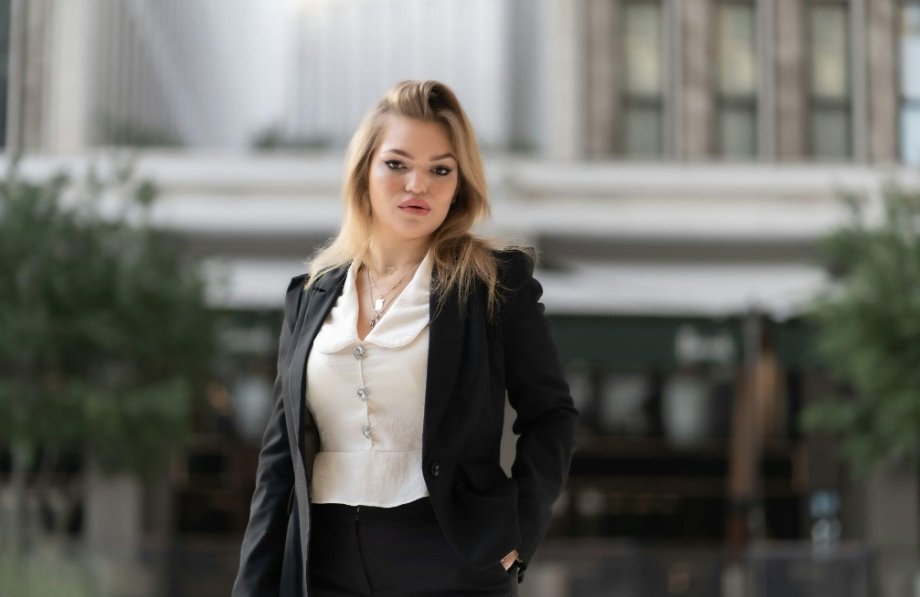
Plain walls in soft grey, off-white, muted blue, or deep green work almost everywhere. Avoid bookshelves with legible titles, office logos, or windows with bright sky behind you. If you must shoot at home, stand at least a metre from the wall so the shadow behind you softens.
Design researchers at the Nielsen Norman Group have shown that faces in profile images pull the eye first, which is why a busy background quietly weakens even a well-dressed subject.
| Setting | Suits a formal DP |
|---|---|
| Plain wall in soft neutral tone | Yes, most reliable option |
| Blurred office interior | Acceptable if logos are unreadable |
| Outdoor greenery, overcast light | Works for legal, academic, NGO roles |
| Bright window directly behind | No, silhouettes the face |
| Party or event photo cropped tight | No, lighting and mood leak through |
Expression, Lighting, and Small Technical Details
Once framing is settled, the picture is decided by your face and the light on it. A relaxed closed mouth smile, or a soft open smile with visible eyes, both read as professional across Indian corporate and academic contexts.
Getting the Light Right
North-facing window light around mid-morning is the easiest flattering source available in most Indian homes. Stand facing the window, or turn about fifteen degrees away for gentle shadow. Overhead tube lights create raccoon shadows under the eyes, and phone flash flattens the face and blows out the forehead.
Quick Checks Before You Upload
Run through a short list on the final file, so the picture holds up at avatar size and at full resolution:
- Eyes sharp and clearly visible, not hidden by hair or heavy glare on lenses.
- Skin tones look natural, not orange from indoor bulbs or blue from screen light.
- The image still reads as you when shrunk to a forty pixel circle.
- No brand logos, ID cards, or personal items in frame.
Matching the Picture to the Platform and the Role
The same headshot rarely works everywhere at full strength. LinkedIn tolerates a slightly warmer expression than a law firm bio page, and a government portal often expects a plain background with squared shoulders similar to an identity photograph. Before finalising, open the picture on the actual site or app where it will live and check how the automatic crop treats your head.
Update the image every two or three years, or sooner if your appearance changes noticeably, since an outdated DP quietly undermines trust in every other detail on the page. A picture that is honest, current, and calmly lit will keep serving you across job changes, client calls, and conference programmes long after the shoot itself is forgotten.